


| Author: Abdullah Ahmed | Category: Content Management System Development
An editor publishes a corrected service description. It appears immediately on the main website, remains unchanged in a mobile application, and disappears from a campaign preview. The team chose a modern content architecture, but nobody defined how publication should reach each destination.
Headless and traditional CMS approaches divide responsibilities differently. The better choice depends on your publishing channels, editorial needs, engineering capacity, and tolerance for operating separate components.
Start with the work your content must support. A single corporate website may benefit from a cohesive traditional setup. Several independently developed experiences may justify separating content from presentation. Neither choice automatically guarantees better performance, usability, or maintainability.
Locate the boundary between content and presentation
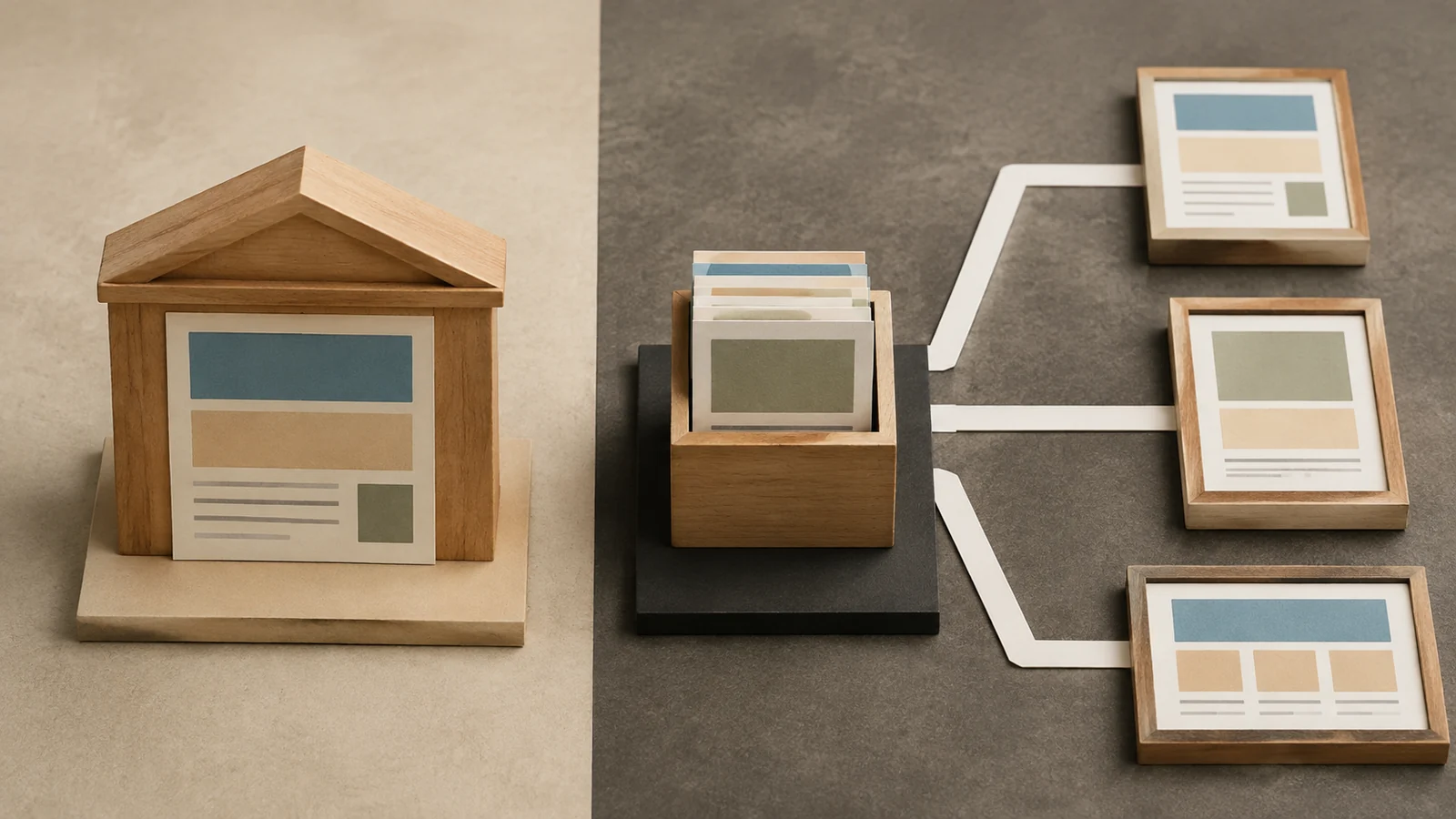
In a traditional CMS, content management and website rendering are usually delivered through a closely connected system of administration tools, templates, and extensions. Editors work within that system, and its presentation layer produces the public pages.
In a headless arrangement, the CMS manages content and exposes it through an interface. A separately developed website, application, or other consumer retrieves that content and presents it to users.
These are architectural approaches rather than rigid product categories. Some platforms can support both. For example, Drupal's JSON:API documentation describes an API centred on its content entities, illustrating how a familiar CMS can participate in a decoupled architecture.
The key question is where responsibilities live in your implementation. Identify who handles routes, rendering, preview, search, forms, media delivery, caching, and publication. A diagram showing only “CMS” and “frontend” leaves too much operational work implicit.
Start with channels you actually need
List the destinations that require your content now and those with a credible funded plan. A website, customer application, and partner portal may share some information while presenting it differently.
Distinguish real reuse from a hypothetical future. A small website does not necessarily need a separately operated frontend because the business might one day launch an application. Conversely, copying the same content manually into several active channels is evidence worth investigating.
Consider how independently those channels change. Separate teams with distinct release cycles may benefit from a content contract they can consume without coordinating every visual change. One team maintaining one website may gain less from that separation.
Identify which content should be shared and which belongs to a particular experience. A service name and description may be reusable; a website-specific promotional layout may not be. Good content modelling matters in either architecture.
Compare the editor's whole publishing task
Ask editors to create, review, preview, publish, correct, and withdraw a realistic item. Include related content and scheduled publication if they are part of normal work.
A traditional system may provide a more integrated preview because it already owns the rendering layer. That is a possibility to test, not a guarantee about every product or implementation.
A headless system needs a deliberate preview connection to each relevant presentation layer. Editors may need to inspect unpublished content, references to other drafts, navigation, and language variants in context.
Check what “published” means. Does saving a published record make it immediately visible, trigger a deployment, invalidate a cache, or wait for a scheduled refresh? Staff need a clear explanation of when customers will see the change.
Do not make developers the routine bridge between editors and publication. If every campaign requires engineering intervention, include that dependency in the operating model and cost comparison.
Design the content model for reuse and clarity
Structured content separates meaningful information into fields and relationships. A location might contain its name, address, contact details, opening hours, and a reference to available services. Different consumers can present those fields appropriately.
Page composition has a different purpose. Editors may need to combine approved sections into a campaign page. Provide suitable flexibility without turning every record into an unstructured collection of visual fragments.
Test the model with actual content, including awkward cases. An organisation with several regional opening schedules needs more than one text field called “hours.” A multilingual site needs explicit relationships and publication behaviour for translations.
Ask how the model evolves. Renaming a field or changing a relationship can affect existing content and every consuming application. Plan migrations and compatibility where changes cross team boundaries.
Traditional CMS implementations also benefit from structured content. Headless architecture makes the interface boundary more explicit, but it does not create a good model automatically.
Understand where performance work moves
Separating the frontend allows teams to choose a rendering strategy appropriate to the experience. It also introduces decisions about when content is fetched, what is cached, and how updates become visible.
A traditional website can also be optimised through suitable templates, caching, image handling, and infrastructure. Avoid assuming that architectural separation alone makes a site fast.
Measure representative pages with realistic content and integrations. Include a large listing, a detailed page, search, and any personalised experience. Test the publishing path as well as the reading path.
For cached or pre-rendered content, define freshness. A campaign announcement may tolerate a short update delay. A correction to important customer information may need a faster route. The system should support the business promise it makes.
Consider failure behaviour. If the CMS is unavailable, can the public website continue serving an appropriate version? If a rebuild fails, do editors know that the previous version remains live? Those decisions matter more than a fashionable rendering label.
Count the responsibilities in each option
| Capability | Question for the proposed implementation |
|---|---|
| Preview | Who maintains an accurate view of unpublished content? |
| Routing | Where are URLs and redirects defined and validated? |
| Search | How does indexed content follow publication and withdrawal? |
| Forms | Which service receives submissions and supports recovery? |
| Releases | Who coordinates content-model and frontend changes? |
| Incidents | Who diagnoses a failure crossing several components? |
A headless proposal should show how these duties are covered, including work outside the CMS subscription. A traditional proposal should identify extensions and custom components on which the same duties depend.
Neither architecture removes supplier dependency. A hosted CMS, specialised frontend framework, custom plugin, or deployment service can each become important to continuity. Record the dependency and your options for changing it.
Evaluate access and security across the boundaries
Map who can edit, approve, administer, retrieve unpublished content, and deploy changes. Public content access and editorial access should be considered separately.
For headless previews, verify that draft access is restricted appropriately. A preview token placed carelessly in a public application can expose information that editors believe is unpublished.
For traditional systems, review administrative access, extensions, update processes, and the separation between editorial and technical privileges. A cohesive system still needs careful configuration and maintenance.
Ask how credentials are stored, rotated, and removed when staff or suppliers change. Include automated services as well as human accounts.
Keep security responsibilities practical. Name the team that monitors relevant updates, tests changes, and responds to incidents. Architectural diagrams do not replace an operating plan.
Check accessibility in both authoring and delivery
Editors need an interface they can operate, and readers need accessible output. The W3C Authoring Tool Accessibility Guidelines distinguish these concerns. Use that distinction when evaluating the administration tool and the delivered website.
A headless CMS can store alternative text and semantic content, but the frontend must use them correctly. A traditional CMS can provide accessible templates, but custom components and editorial choices still need review.
Test the complete result. Check keyboard interaction, heading structure, forms, focus behaviour, and relevant assistive-technology use in the actual implementation.
Train editors using their real components. Explain how to choose meaningful headings, write useful links, and identify content that needs a different presentation. Good authoring support is part of long-term content quality.
Compare ownership costs on equal terms
Include CMS fees or licences, hosting, implementation, integrations, content migration, frontend work, search, preview, deployment tooling, support, and internal administration as applicable.
For a headless option, identify the cost of maintaining each consumer and its content contract. Shared content can reduce duplication while separate presentation layers still require engineering effort.
For a traditional option, include theme and extension maintenance, upgrade testing, and any limitations that lead to manual publishing work. A lower initial implementation cost does not eliminate future administration.
Model a realistic change, such as adding a new content type or launching a language. Ask who would perform the work and which components need testing. This exposes ownership costs more clearly than a broad claim about flexibility.
Keep uncertain future channels separate from committed requirements. You can document how an architecture might evolve without funding every possible destination at the first launch.
Run a proof of the hardest publishing scenario
Choose a scenario that crosses the important boundary. For a headless shortlist, it might be previewing and publishing an item with related drafts across two consumers. For a traditional shortlist, it might be delivering a specialised experience without fragile template overrides.
Use representative content and ask editors to complete the task themselves. Measure the support required and inspect what happens when a dependency fails.
Test withdrawal and correction, not only initial publication. If an item must disappear, verify search, caches, listings, and direct links behave as intended. Removing it from the editing interface does not necessarily remove every delivered copy.
Record what the proof establishes and what remains unknown. A small prototype may validate editorial fit while leaving migration volume or operational capacity for later testing.
Prepare an exit that preserves useful content
Request an export and inspect its meaning. Can another system interpret records, relationships, media references, and language variants? Understand which presentation features are tied to the current product.
Keep a record of content-model decisions and consumer dependencies. If you later change the CMS, those materials help the team rebuild the interface without rediscovering every assumption.
Plan URL continuity and redirects as part of any migration. Customers and search engines encounter the delivered website, not the internal architecture diagram, so their routes to content need deliberate treatment.
For a staged transition, decide which system accepts edits and how changes are reconciled. Two editorial sources with unclear ownership can quickly create conflicting versions.
Trace one correction across the proposed architecture
Use an illustrative organisation with a public website and a customer application, both displaying office opening hours. A regional editor corrects an unexpected closure. The content is simple, but the publication path tests whether the architecture supports a time-sensitive operational update.
First identify the authoritative record and the editor's permission to change it. If hours are embedded separately in several pages, neither a traditional nor headless architecture will prevent conflicting copies without a better content model.
Next, follow the change to each destination. Does the website render from the updated record, use a cached copy, or wait for a rebuild? Does the customer application fetch on demand or retain information locally? Record the expected delay at each point.
Then test a failure. Suppose the website updates but the application does not. The editor needs a way to distinguish a normal refresh delay from a failed delivery path. A generic success message from the CMS may otherwise create false confidence.
Define the recovery route before the launch. A technical colleague might refresh a cache, repair a failed build, or replay an update. The appropriate action depends on the architecture, but its owner should be clear to the publishing team.
Finally, verify what users see. The important outcome is accurate information in the places customers rely on, not simply a newer timestamp in the CMS database. This scenario can be part of acceptance for either architectural approach.
Decide how much preview accuracy is necessary
Not every preview needs to reproduce every public feature, but its limitations should be known. Editors reviewing a text correction may need less context than those assembling a campaign with related content, navigation, and scheduled items.
List what the preview must establish. Can the editor confirm content, layout, links, and visibility conditions? Does it use the same components as the public experience? Can unpublished relationships be followed without exposing drafts publicly?
If a preview omits a relevant dependency, provide another review step that covers it. The team should not mistake a partial simulation for proof that the final publication will behave identically.
Avoid creating a separate release for every editorial decision
A headless architecture can allow independent development, yet a poorly designed content contract can make routine editing depend on frontend changes. Distinguish editorial choices supported by the existing model from structural changes that legitimately require development.
For traditional systems, the equivalent issue can appear when every new page variation needs a theme override. A small set of purposeful components may provide enough flexibility while keeping layouts and behaviour maintainable.
Ask the team to show a routine campaign update without the implementation specialist directing every step. If the workflow requires technical assistance, include that recurring effort honestly rather than presenting it as an exceptional launch task.
These exercises make the architecture decision concrete. They also help avoid a common misunderstanding: separating software components may change who does the work, but it does not remove the need for a complete publishing service.
Choose the boundary your team can operate
A traditional approach is a strong candidate when a cohesive website and straightforward editorial operation dominate the requirements. A headless approach is a strong candidate when independent consumers and reusable structured content justify the additional coordination.
The deciding exercise is a real publishing task with a real ownership plan. Ask your team to publish, correct, and withdraw representative content in each candidate. Choose the approach that makes those duties clear and sustainable for the channels you actually need.
Author

With over 15 years of diverse experience spanning front-end and back-end development, UI/UX design, project management, integration, testing, and ongoing support for business applications, I specialize in transforming ideas into seamless digital solutions. I’m committed to leveraging my expertise to drive innovation and contribute meaningfully to the tech community.